Al Quran Majeed القرآن الكريم
- 4.5
- Rating
- 1.00M
- Installs
- Free
- Price

 Analysis by App-foxy
Reading the Quran on a phone can be wonderfully convenient, but convenience depends on much more than having the text on screen. I spent time with Al Quran Majeed القرآن الكريم from Miso Apps Studio, looking at it not only as a digital Quran, but also as a tool for people who read in different places, at different speeds, and with different comfort levels. Its main appeal is straightforward: it brings Quran reading offline and online MP3 listening together in one free app.
That combination makes sense for everyday use. I can imagine opening it during a quiet morning at home, continuing a reading session while travelling, or switching from visual reading to audio when my eyes are tired. The app belongs to the Libraries & Demo category, is rated for Everyone, and is available at no upfront cost. Those details make it approachable, although the presence of optional purchases means “free” should be understood as free to install and begin using rather than necessarily free of every paid option.
What interested me most was how the app handles access in real situations. A Quran app can be technically simple yet difficult to use if its text is cramped, its controls are unclear, or its audio workflow demands too much attention. Al Quran Majeed is at its best when it reduces the number of separate tools needed for a reading or listening routine. It is less convincing for readers who need highly specialised display controls, advanced study tools, or a completely distraction-free environment.
You May Also Like

 Blood Strike: 2.5 Anniversary
Blood Strike’s Loadouts Turn Every Drop Into a Tactical Gamble
A close look at Blood Strike’s custom loadouts: how fast access to signature weapons reshapes its battle royale rhythm, rewards preparation, and narrows the gap between fights.

 Pandora - Music & Podcasts
Pandora’s Music Is Easy to Start, but Harder to Recover
Pandora’s strength is its low-effort path from a seed to a station. Its weak spot is how much confidence it asks you to place in connection, setup, and quiet recovery.

 8 Ball Pool
 Is Built on Rivalries, Rematches, and Routine
A close look at the rivalries, rematches, shared routines, and unanswered safety questions that turn a quick pool match into a persistent mobile community.

 Samsung Music
’s Quiet Strength Is Playing What You Already Own
Its reach comes less from spectacle than from dependable access to a personal library. That simplicity is both the app’s strongest retention engine and its ceiling.

 AccuWeather: Weather Radar
AccuWeather Review: A Quick, Clear Forecast for Everyday Decisions
For everyday plans, the best forecast is the one you can understand quickly. AccuWeather makes rain timing, radar, and local conditions easy to act on, with a few trade-offs.

 Hill Climb Racing
Why Hill Climb Racing Still Turns Crashes Into One More Run
A tiny car, a bumpy hill and one more upgrade: Hill Climb Racing keeps resurfacing because its simple chaos makes every near-miss feel personal.
More From Our News Desk
View All News


Readability and navigation in everyday Quran use
When I assess Quran reading on a phone, I look beyond whether the text is available: I want to know whether I can keep my place and return to a passage without turning a quiet moment into a navigation task. In this section, I focus on the small habits that make reading feel settled, such as choosing a familiar starting point and limiting unnecessary screen movement. That practical side of reading also leads into a broader question: who can comfortably use the app, and under what conditions?
A focused reading experience
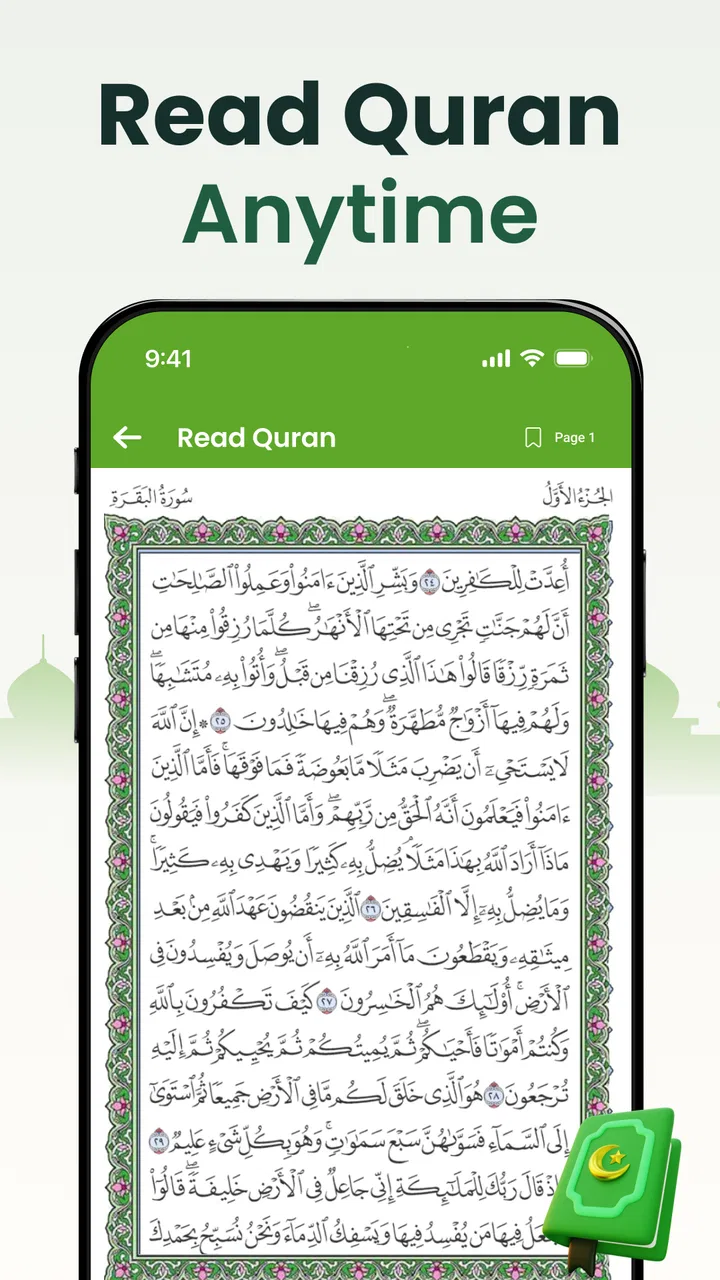
The central experience is the Quran text itself, and that focus is valuable. Instead of treating the app like a general library full of unrelated material, the design is built around reaching the scripture and spending time with it. For someone who already knows the surah or passage they want, this direct purpose can feel more comfortable than navigating a broad religious reference app.
I find this especially useful for short, repeated reading sessions. A person may want to read a few pages after prayer, revisit a familiar passage before sleep, or continue from a personal routine without carrying a printed copy. Keeping the Quran available offline is a practical strength here because reading does not have to depend on a stable connection. That matters in transport, crowded buildings, rural areas, or any place where mobile data is unreliable.
There is also a useful distinction between reading and listening. When I have enough light and concentration, the text supports visual reading. When I am cooking, walking carefully, resting, or simply trying to reduce screen time, the online MP3 Quran option offers another way to engage. This is not just a convenience feature; it makes the app more adaptable to changing energy, attention, and surroundings.
How I would build a reliable reading routine
My advice is to prepare the app before you need it. Open it at home, confirm that the passages you expect to read are available offline, and test the audio while connected to a dependable network. This small habit avoids turning a quiet reading moment into a search for a signal or a rushed setup.
For a daily routine, I would use one mode at a time rather than constantly switching between text and audio. For example, I might read visually during a planned session, then use listening later as reinforcement. That separation helps maintain concentration and makes it easier to notice whether the app is serving a genuine need or merely adding another screen habit.
A second useful approach is to keep the phone physically stable when reading. A stand or a secure surface can make long sessions less tiring than holding the device in one hand. This is not an app feature, but it changes the experience considerably for people with hand fatigue, tremors, limited grip strength, or discomfort from maintaining a fixed wrist position.
Where navigation may feel less complete
The app’s focused design is also its limitation. Readers who expect a full study platform may want more than a Quran reader and audio companion. Someone comparing translations, examining detailed commentary, searching by a phrase, or organising extensive notes may prefer a specialised Quran study app. I would not choose Al Quran Majeed as my only tool for academic research unless its available navigation and study functions match that particular need.
There is a trade-off between simplicity and depth. A smaller set of obvious actions can help a first-time user avoid confusion, while an experienced learner may miss advanced ways to cross-reference material. Before making it the centre of a serious study workflow, I would spend a few sessions checking how quickly I can reach a specific passage and whether the available reading flow fits my habits.
The current version is 1.1.17, which shows that the app is being maintained as a developing product rather than an abandoned download. Still, version numbers alone do not guarantee that every device will present the same experience. I would install it on the phone I actually plan to use and test the text size, scrolling comfort, and audio controls there instead of relying only on screenshots or general expectations.
Access across abilities, senses, and situations
I think access is shaped by more than screen settings; it also depends on the reader’s surroundings, energy, and preferred way of engaging with the text. Here I consider how visual reading and listening can serve different needs, while noting that each mode has its own practical constraints. Those differences matter most when deciding whether the app can support someone’s routine independently or works better as one option among several.
Visual readability and screen comfort
For readers with good near vision, a Quran app can be easier than a printed volume in some circumstances because the phone is already familiar and portable. It can also be less comfortable because the screen is bright, relatively small, and surrounded by notifications or other distractions. I would lower visual strain by choosing a calm environment, adjusting the device’s display settings, and taking breaks during longer sessions.
People with reduced vision should pay close attention to whether the text remains comfortable at the size their phone allows. A display that looks acceptable for a quick glance may become tiring during sustained reading. The important test is not whether the page opens, but whether the reader can distinguish letters and follow lines without repeatedly leaning closer or losing their place.
For older users or anyone unfamiliar with smartphone reading, a short practice session can reveal more than a store description. I would ask them to open a passage, move through the text, return to the main reading area, and start audio without assistance. If those steps are difficult, the app may still be useful with a family member’s help, but it is not yet providing independent access.
Listening as an alternative to visual reading
The MP3 listening option is the most important inclusive element because it gives users a different route into the content. It may suit someone with visual fatigue, dyslexia, temporary eye strain, or an injury that makes reading from a screen uncomfortable. It can also support a person who is learning to listen attentively while following the text at another time.
Listening is not automatically accessible in every environment. A noisy bus, a busy kitchen, or a shared room may make audio difficult to follow. Some users may also need to keep the volume low for privacy or courtesy. In those cases, visual reading may be better, while headphones can help when their use is safe and comfortable. I would avoid listening while crossing roads, cycling, or handling anything that requires full awareness of surrounding sounds.
There is a practical trade-off between audio and text: audio reduces dependence on visual focus, but it depends more heavily on hearing conditions, device volume, connection readiness, and a quiet enough setting. The app is therefore more flexible than a text-only reader, but it should not be treated as a universal replacement for every access need.
Motor comfort and one-handed use
Phone reading often involves repeated tapping, scrolling, and holding. That can be manageable in a short session but uncomfortable for someone with limited dexterity, arthritis, hand weakness, or involuntary movement. I would place the phone on a stable surface whenever possible and use the least amount of scrolling needed. A larger device may improve readability while making it harder to hold, so the best setup depends on the user rather than on a single ideal screen size.
Audio can reduce the need for continuous touch interaction once playback has started. That is useful for someone who finds repeated scrolling tiring. However, starting playback, changing a passage, or recovering from an accidental touch may still require precise interaction. A user with significant motor limitations should test those actions personally and consider whether a trusted helper can set up the desired passage without taking over the whole routine.
I also recommend disabling unrelated interruptions during a session. Notifications can pull the hand back to the screen and break concentration, while an incoming call may stop or obscure the reading experience. The app cannot control every part of the phone’s operating system, so a calm device setup is part of making the reading workflow accessible.
Using it away from home
Offline reading is particularly valuable for situational access. A traveller can read without planning around coverage, and a person in a building with poor reception can continue a routine without repeatedly waiting for content to load. This also makes the app suitable for short breaks at work or school, provided the setting allows personal phone use.
Online audio is more dependent on preparation. I would not begin a listening session in a location where a weak connection could interrupt it unless I had already checked the relevant content. This is one of the app’s clearest trade-offs: offline text is dependable in more places, while online MP3 listening offers flexibility but is more exposed to network conditions.
Battery life is another situational concern. Reading usually requires the screen to stay active, while listening may allow the user to put the phone down, but either activity can matter during a long day away from a charger. If I were travelling, I would charge beforehand and avoid assuming that the app alone can solve every practical limitation of mobile use.
Who will benefit most
I think the app is a strong fit for someone who wants a portable Quran reader with an audio option, values offline access, and prefers a focused experience over a large collection of study tools. It is also a sensible choice for families who want a free starting point for reading and listening on a modern phone. The Everyone content rating makes it broadly approachable, although parents and carers should still help younger users establish safe and respectful device habits.
It may be less suitable for a reader who needs extensive translation comparison, scholarly annotation, advanced memorisation tracking, or highly customised accessibility controls. In those cases, a dedicated study or learning app may be a better companion. I would also hesitate to recommend it as the sole option for someone who cannot comfortably read small screens and needs confirmed support for a particular assistive technology. The app offers useful alternatives, but individual testing remains essential.
Free access and the paid layer
Al Quran Majeed can be installed for free, which lowers the barrier for trying it without a financial commitment. At the same time, optional in-app purchases range from $5.49 to $69.99 per item. That is a wide span, so I would review each purchase screen carefully before confirming anything and avoid assuming that every useful function is included in the free experience.
This matters for inclusive access because paid extras can affect whether a person can maintain a long-term routine. A free core experience is valuable, but users should decide whether the available no-cost tools already meet their needs before considering an upgrade. If a reader only wants offline Quran reading and occasional online listening, the basic installation may be enough. If a desired feature sits behind a purchase, the value depends on how often that feature will genuinely be used.
What I would check before committing
My first check would be visual: can I read for ten or fifteen minutes without discomfort, and can I return to the right place after moving through a passage? My second would be navigational: can I reach a familiar surah without assistance? My third would be auditory: does starting online playback fit naturally into my routine, and does the sound remain usable in the places where I expect to listen?
I would also test the app with the phone’s own accessibility settings rather than assuming they will solve every issue. Larger system text, display magnification, screen readers, and audio adjustments can help with some parts of the experience, but they may not affect every element equally. The most honest assessment comes from trying the exact device, settings, and environment used by the intended reader.
One non-obvious benefit of this testing approach is that it separates app problems from phone habits. Sometimes the difficulty is not the Quran page itself but a bright display, unstable grip, distracting notifications, or an unsuitable listening location. Fixing those surrounding conditions can make a bigger difference than changing apps immediately.
My inclusive verdict
After using it as a reading and listening companion, I see Al Quran Majeed as a practical, approachable option rather than a complete Quran study suite. Its strongest qualities are the combination of offline reading and online MP3 listening, the low entry cost, and the ability to fit different moments of the day. Those qualities make it useful for readers who move between visual and audio engagement.
Its accessibility story is promising but not universal. Audio can help when visual reading is tiring, while offline text helps when connectivity is uncertain. On the other hand, small-screen reading, touch interaction, online audio dependence, and the possible cost of optional features can still create barriers. Users with specific visual, hearing, motor, or cognitive requirements should try the actual workflow before relying on it independently.
The app has earned an average rating of 4.5 from around 5.9 thousand ratings, and it has passed over 500 thousand installs. Those figures suggest that many people find the basic idea useful, but they should be treated as context rather than proof that every reader will have the same experience. Personal comfort matters more than popularity when the purpose is regular worship or study.
My recommendation is simple: install it if you want a free Quran app that can keep the text available offline and add online listening when circumstances make reading inconvenient. Prepare it in advance, test it with your own display and accessibility settings, and be realistic about whether you need deeper study features. For a straightforward, portable routine, it is worth trying; for specialised access or advanced scholarship, I would use it alongside a more focused tool rather than expecting it to do everything.
FAQs for Al Quran Majeed القرآن الكريم
01What features does Al Quran Majeed القرآن الكريم offer?
Al Quran Majeed القرآن الكريم provides a comprehensive set of features including the complete Quran text with various translations and recitations. Users can access Tafsir for better understanding, bookmark their favorite verses, and use the search function to find specific texts. The app also includes daily reminders and prayer times to enhance the user's spiritual routine.
02Is the app available offline, and how does it handle data usage?
Yes, Al Quran Majeed القرآن الكريم offers offline access for reading the Quran, which is particularly useful for users with limited internet connectivity. However, some features like audio recitations and Tafsir may require a download beforehand. This means you can control data usage by downloading content when connected to Wi-Fi.
03Does Al Quran Majeed القرآن الكريم support multiple languages?
The app supports multiple languages, allowing users to read translations in a variety of languages including English, Urdu, French, and more. This makes it accessible to a global audience, ensuring that non-Arabic speakers can understand the Quranic text easily and effectively.
04Are there any in-app purchases or subscriptions required?
While Al Quran Majeed القرآن الكريم is free to download and use, it does offer in-app purchases for premium features. These may include additional translations, enhanced audio recitations, and ad-free experiences. Users can opt for these upgrades depending on their usage preferences and needs.
05How user-friendly is the interface for new users?
The app is designed with a user-friendly interface, making it easy for both beginners and experienced users to navigate. It features a clean layout with intuitive menus and easy access to different sections like Surahs, Recitations, and Settings. The app ensures that users can find and utilize features without any hassle.
Pros
- User-friendly interface for easy navigation.
- Comprehensive translation in multiple languages.
- Audio recitation with various Qari options.
- Bookmarking feature for quick reference.
- Offline access available for reading anytime.
Cons
- Ads can be intrusive during use.
- Premium features require a subscription.
- Some translations lack depth.
- Limited customization of text size.
- Occasional app crashes reported.

Al Quran Majeed القرآن الكريم
Gallery